3 Ways We Use AI In Our Homeschool (And 3 Ways We Don’t)
Screen usage is one of the trickiest aspects of home-ed to navigate because there are so many useful resources available on screens but you don’t want them plugged in all day, so we’ve had screen rules in our house for years: used for relaxation within reason, used for a purpose after books. The screen rules aren’t rigid and are based on what screens are good for, what they’re not, and what we want our children to get out of using them. Similar conversations are ongoing around social media and when AI arrived, we approached it the same way.
Not with a ban, not with unlimited access but with a conversation about the purpose and, more importantly, the positive and negative impacts AI use could have: both on how they learn, and on who they’re becoming outside of home-ed. (You can read about our overall approach to AI in home-ed here.)
These are the rules we have now. These will change as the tools change and as our children’s needs change; that’s fine. What matters isn’t the specific rules, it’s the reasoning behind them. Because if they understand the why, they can apply it themselves when we’re not in the room.
What we use AI for
1. Music creation: This is AI as an instrument. Low stakes, creatively open, genuinely fun. There’s no shortcutting learning happening here — there’s exploration. We’re happy with them using AI unsupervised to experiment this way, and via that exploration, they passively develop a more in-depth knowledge of music theory, taught as an offline, ‘real’ lesson.
2. Tuition support — within parameters we set together: AI can be a patient, endlessly available explainer, and for subjects like maths, that’s genuinely useful. The parameters matter though: it’s for learning, not for answers. “Explain why this works” is a different request to “solve this for me.” We talk about that distinction explicitly, and we set the parameters together so they’re bought into them.
As with many aspects of teaching in home-ed, modelling is one of the most effective ways to do it. In our teacher-led maths lessons, we now have an AI model open: if my explanations aren’t getting us where we need to be, I call in the AI support teacher and use it to generate step-by-step breakdowns of questions. Quadratic equations, mostly.
3. Experimenting with what it can and can’t do: This one is actually a critical thinking lesson in itself. AI gets things wrong. It sounds confident when it shouldn’t. Learning to interrogate its output — to fact-check, push back, notice when something feels off — is exactly the kind of thinking we want them to develop. So we let them experiment, and we talk about what they find.
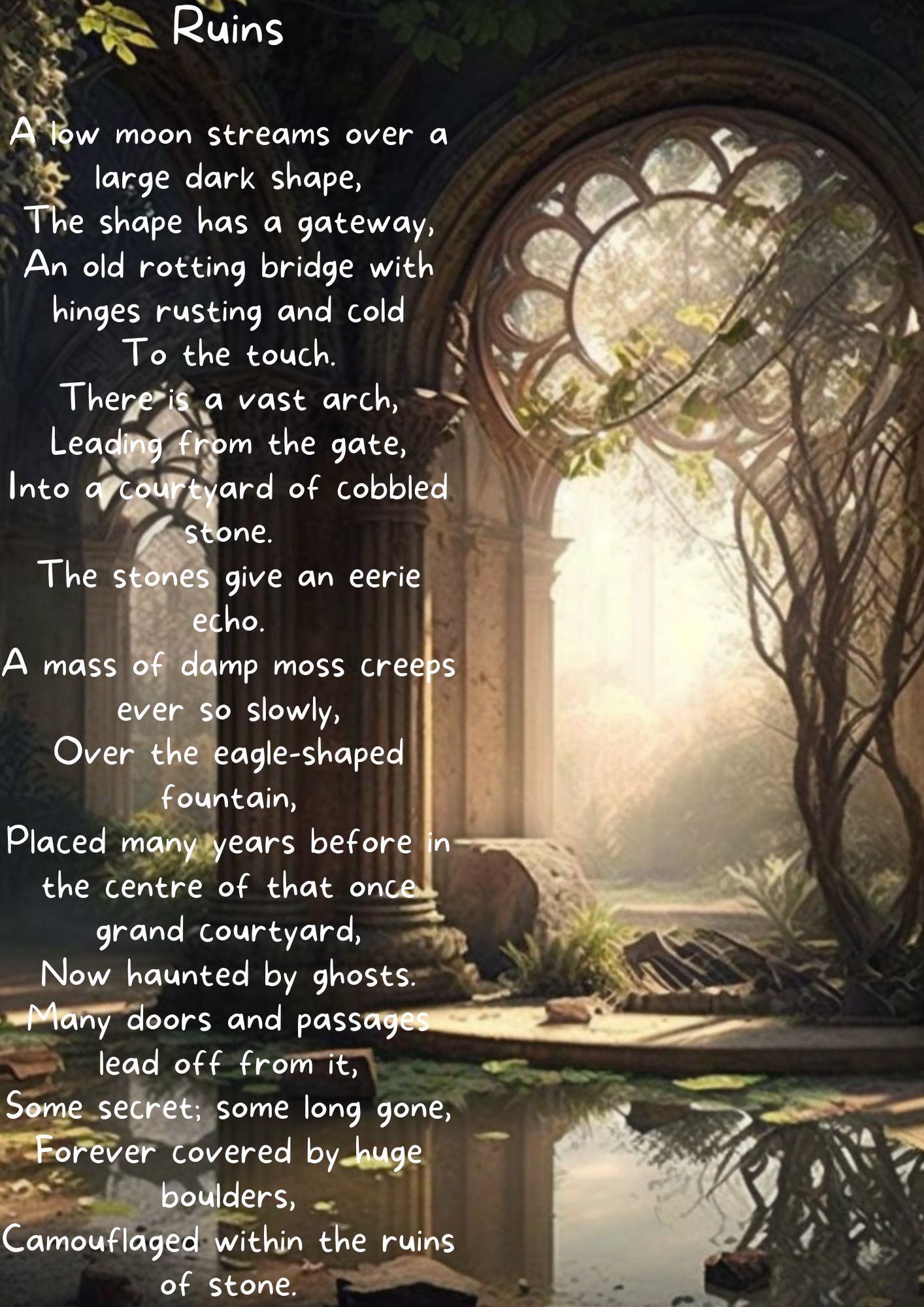
When Midjourney launched, one of the first experiments we did was combining poetry and AI art: the kids wrote the poetry and used the poem as an AI prompt. Years later, the result still earns a place on the fridge.

What we don’t use AI for
1. First-stop research: The order matters: books first, then human-written internet, then AI. This isn’t about AI being unreliable (though it is, sometimes, in ways that aren’t always obvious). It’s about not outsourcing the finding out. The process of looking something up, hitting a dead end, trying a different search term, finding something unexpected along the way — that’s not inefficiency. That’s how you actually learn a subject. AI skips all of it and hands you a tidy summary. Which is great, sometimes. But not as a starting point, not habitually and not at this stage of life where they are still learning how to learn. This is the same logic that applies to our screen-rules preventing dulling of creative thinking: books first, then the film.
2. Skills-based work
If the point of the exercise is to practise the skill, then having AI do it defeats the purpose. Maths is the obvious example. They can use AI to understand a concept they’re stuck on — that’s the tuition use above. But they can’t use it to produce answers to problems they’re meant to be solving themselves. The distinction sounds obvious when you say it out loud. It’s worth saying out loud anyway, and worth having them sign something that makes it explicit.
3. Editing their writing
Their work is their words. This one is probably the rule I feel most strongly about, and also the one they push back on most. AI editing isn’t neutral. AI irons things out, smooths the edges, makes everything sound like everything else. Their voice is the thing worth developing. An AI rewrite doesn’t develop it; it replaces it. If something needs editing, we edit it together, or they edit it themselves after a break.
(If you’re used to reading your teenager’s work, AI copy is easy to spot: too concise, too polished – or conspicuously misspelled if they’ve tried to cover their tracks – and the conclusion will be a neat summary that sounds like nobody in particular.)
These AI rules aren’t a contract. They’re a starting point for ongoing conversation — which is, honestly, probably the most useful thing about having them written down. It gives us something to refer back to when the question comes up, and it will keep coming up. AI is going to be part of their lives in ways neither of us can entirely predict yet but we need to teach towards.
The goal isn’t a rulebook that covers every situation. It’s about ensuring that they’ve thought carefully enough about purpose and reasoning that they can make decent calls when situations arise that we haven’t anticipated, and they have healthy interactions with AI when we’re no longer monitoring usage.
Which is, now I think about it, pretty much the aim of the whole home-educating thing: guiding them towards independence in a way that centres learning as an ongoing goal.
If you want to think through how to actually teach AI usage rather than just manage it, the next post is a good place to start: Teaching Your Teenager to Write AI Prompts (And Why It’s Worth Doing Properly).